I redesigned a mobile 3D capture workflow to reduce scanning time from six minutes to under 150 seconds.
- AR
- Interaction Design
- Computer Vision
- iOS
- Company
- Avataar
- Role
- Software Engineering Intern
- (Product & Interaction Design)
- Duration
- 8 weeks
- Platform
- iOS
- Team
- Computer Vision / Mobile
- Implementation Tools
- SwiftUI, ARKit, RealityKit, Figma
About the product
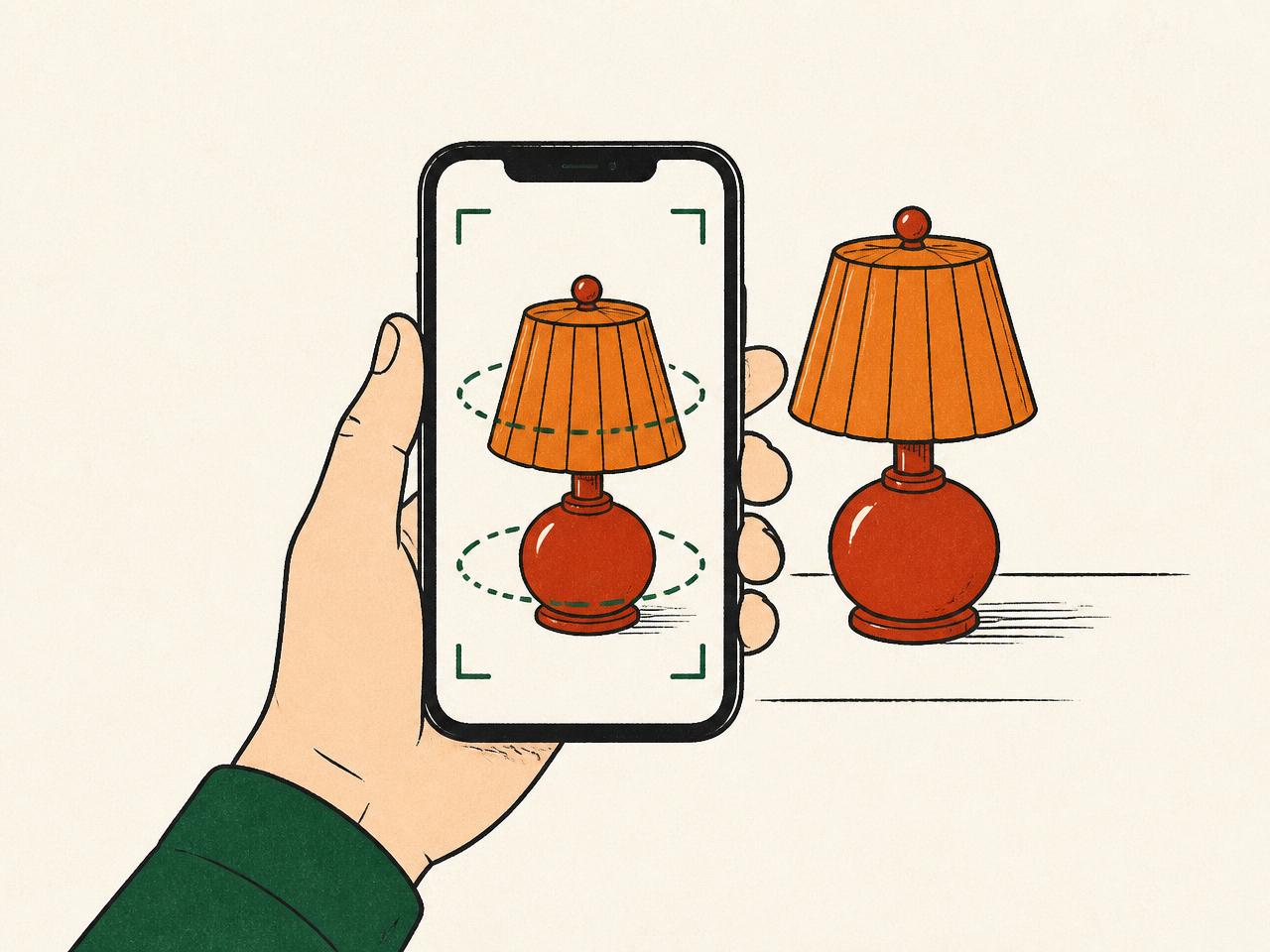
Incarnate is an iOS application that enables merchants to create interactive 3D models of physical products using only an iPhone.
Users capture an object by recording it from multiple viewpoints, after which Avataar's computer vision pipeline reconstructs a photorealistic USDZ model for use in e-commerce and marketing experiences.
The problem
While the underlying reconstruction technology was highly capable, the mobile capture experience was slow, physically demanding, and difficult for new users to understand.
My goal was to design and build a scanning workflow that reduces the user workload to scan an object as much as possible, while still providing the backend service with all the data it needs in order to reliably produce an acceptable output.
The current design
To create a 3D model, users were required to follow a precise capture path around the object. The workflow demanded sustained concentration, repeated physical movement, and little room for error.
Fig. 1: The required four-pass capture path: three orbital rings plus an overhead pass.
The user was required to:
- 01Orbit the base of the object while maintaining a consistent distance and camera angle.
- 02Repeat the process around the middle of the object.
- 03Repeat the process again around the top of the object.
- 04Capture the object from above to complete the scan.
Fig. 2: Throughout the scan, the app captures ~120 image frames alongside the device's spatial position and orientation, which are then passed to the CV pipeline.
Throughout this process, the application continuously captured approximately 120 images, together with the device's spatial position and orientation. These data were then processed by Avataar's computer vision pipeline to reconstruct a photorealistic 3D model.
Because users received limited feedback about what had already been captured successfully, they often slowed down, retraced sections of the scan, or repeated movements to ensure sufficient coverage.
Key observations
Research and testing surfaced four interconnected issues with the existing scanning experience.
5–6 minutes
Internal testing showed that completing a single scan typically required 5–6 minutes, creating inefficiency for a task users were expected to perform repeatedly.
Confusing guidance
Feedback from TestFlight users consistently highlighted that the written and visual guidance provided during scanning was difficult to follow, leaving users unsure whether they were capturing the object correctly.
Physically demanding
Both internal testers and TestFlight participants reported physical fatigue from repeatedly moving around the object while maintaining the required capture path. Because mistakes often required revisiting sections of the scan, the experience had very little tolerance for error.
~120 images
Discussions with the engineering team and internal testing suggested that the reconstruction pipeline could produce acceptable results with as few as 15–20 well-distributed images, while the existing workflow routinely captured around 120 images. This presented an opportunity to redesign the capture experience without compromising reconstruction quality.
Goals
After evaluating the current design, I set out to redesign the scanning workflow with the following goals in mind:
- 01
Scanning user flow can be complete in under 2.5 minutes in most cases.
- 02
User instructions and guidance for scanning should be clear, intuitive, and unambiguous.
- 03
User progress should be tracked, and user errors should be reparable in real-time.
- 04
Undue physical strain on the user should be minimized, where possible.
- 05
The user should not be required to capture excessive extraneous data.
Exploring solutions
Before finalizing the redesign, I explored several approaches to reducing scan time while maintaining reconstruction quality.
Option 1
Improve the existing workflow
I first explored improving the existing continuous scanning experience through clearer instructions and better visual guidance. While this reduced user confusion, it did not address the repetitive movement or time required to complete a scan.
Why it wasn't chosen: It improved clarity, but not the core experience.
Option 2
Reduce the number of capture points
I then explored reducing the workflow to approximately 16 guided capture points. Although this addressed concerns regarding interaction simplicity and ease, discussions with the backend team showed that it did not provide sufficient spatial coverage for reliable reconstruction.
Why it wasn't chosen: It prioritized simplicity over reconstruction quality.
Proposed solution
Rather than asking users to continuously move around an object while the app captured hundreds of images, I redesigned the interaction around a smaller number of deliberate, guided captures.
Guided spatial coverage
The final design distributed 24 capture points across three vertical bands, with eight viewpoints per band. This provided the reconstruction pipeline with broad spatial coverage while reducing the number of required captures from approximately 120 images to just 24.
Fig. 4: 24 markers distributed across three vertical bands with eight viewpoints each, all oriented inward toward the object.
AR phone markers
Virtual phone models were displayed directly in the user's camera view, showing exactly where to stand and how to orient the device for each capture. This replaced ambiguous written instructions with clear, contextual guidance.
Fig. 5: Each marker is a virtual phone anchored in world space: its position tells the user where to stand, its orientation tells them how to aim.
Flexible capture order
Capture points could be completed in any order, allowing users to move naturally around the object and adapt to their physical environment rather than following a rigid predefined path.
Fig. 6: A sample traversal: numbered markers show the user's actual visit sequence, not a prescribed path.
Immediate feedback
Each marker changed from red to green and played a confirmation sound once successfully captured. Users always knew which viewpoints had been completed, reducing uncertainty and unnecessary repetition.
Fig. 7: Marker state machine: pending (red) → captured (green), paired with an audible confirmation.
Forgiving interaction
A small positional tolerance allowed users to successfully complete captures without needing perfect alignment. Before submitting, users could review and retake individual captures, preventing mistakes from propagating into the reconstruction pipeline.
Fig. 8: A tolerance zone around each marker accepts near-aligned captures; a review step lets users retake any weak shot before submission.
Solution impact
Based on internal testing and the redesigned workflow, the proposed solution delivered meaningful improvements for both users and the reconstruction pipeline.
~3× faster
Reducing the workflow from approximately six minutes to under 150 seconds significantly lowered the time required to complete a scan, enabling users to create 3D models more efficiently.
~80% less data
Replacing approximately 120 automatically captured images with 24 intentional viewpoints substantially reduced the amount of data transmitted to the backend, improving resource efficiency without sacrificing the spatial coverage required for reliable reconstruction.
Lower effort
Clear AR guidance, immediate feedback, and a more forgiving interaction model reduced the guesswork and repetitive movement involved in capturing an object, making the experience more approachable for first-time users.
Solution in action
The redesigned workflow, captured from a working prototype on device.
Reflections
What went well
This project reinforced the importance of grounding design decisions in both user needs and technical constraints. Rather than treating the reconstruction pipeline as a limitation, I used it as a design constraint, working backwards to create an interaction model that was simpler for users while still satisfying the underlying computer vision requirements. Close collaboration with the engineering team ensured that the final design remained technically feasible without compromising the user experience.
What could have been done better
Although internal testing and beta user feedback informed the redesign, I would have liked to conduct more structured usability testing throughout the design process. Observing users complete representative scanning tasks and collecting quantitative metrics, such as completion time, success rate, and perceived workload, would have provided stronger evidence to validate individual design decisions and identify opportunities for further refinement.
Potential next steps
If the project were continued, I would focus on making the scanning experience even more adaptive and intelligent. Rather than generating a fixed set of capture points, the application could dynamically recommend additional viewpoints only when the reconstruction pipeline detected insufficient coverage.
Key takeaway
The biggest lesson from this project was that improving a product doesn't always require changing the underlying technology. In this case, the greatest opportunity lay in redesigning how users interacted with that technology, translating complex computer vision requirements into a workflow that felt intuitive, efficient, and forgiving.
Up next
Challenge, social competition app
A social product turning phone-tracked behavior into head-to-head challenges between friends.